
Understand how WindoorERP sends and receives email
Fix an email that did not arrive
What this does
Walks the usual causes of a missing email, from the red envelope in the chatter to the mail queue behind it.
Before you start
- WindoorERP is not an inbox. Once a notification or transactional email is sent, the message object is deleted — the content lives in the chatter of its record.
- There is no CC or BCC. Who receives what is decided by the followers of the record.
- Incoming mail that matches no address and no reply reference is bounced, not parked in a spam folder. It is gone.
- Give the admin account a real email address. The placeholder one created with the database causes sending failures on its own.
Steps
-
01
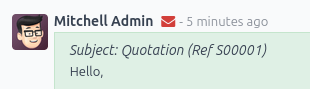
Open the record and look at the envelope icon in the chatter. Red means at least one recipient failed.
-
02
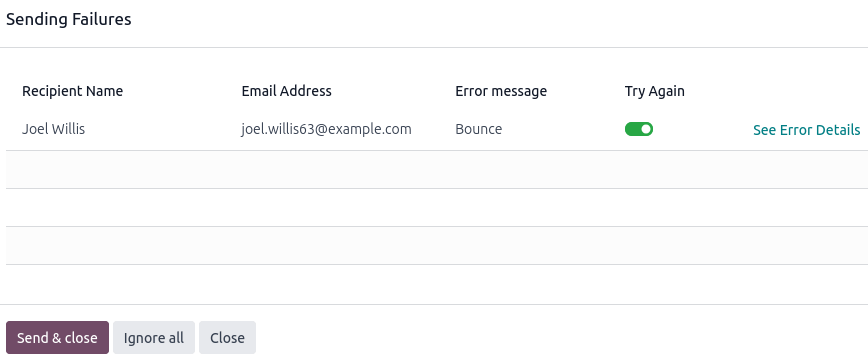
Click the envelope to see which recipients failed and why.
-
03
Click See Error Details for the underlying error, when the database managed to interpret the bounce.
-
04
Fix the cause — usually a wrong address, an unauthorised sender domain, or a provider rejection.
-
05
Click Send & close to retry the recipients left toggled on, or Ignore all to clear the red envelope without resending.
The mail queue
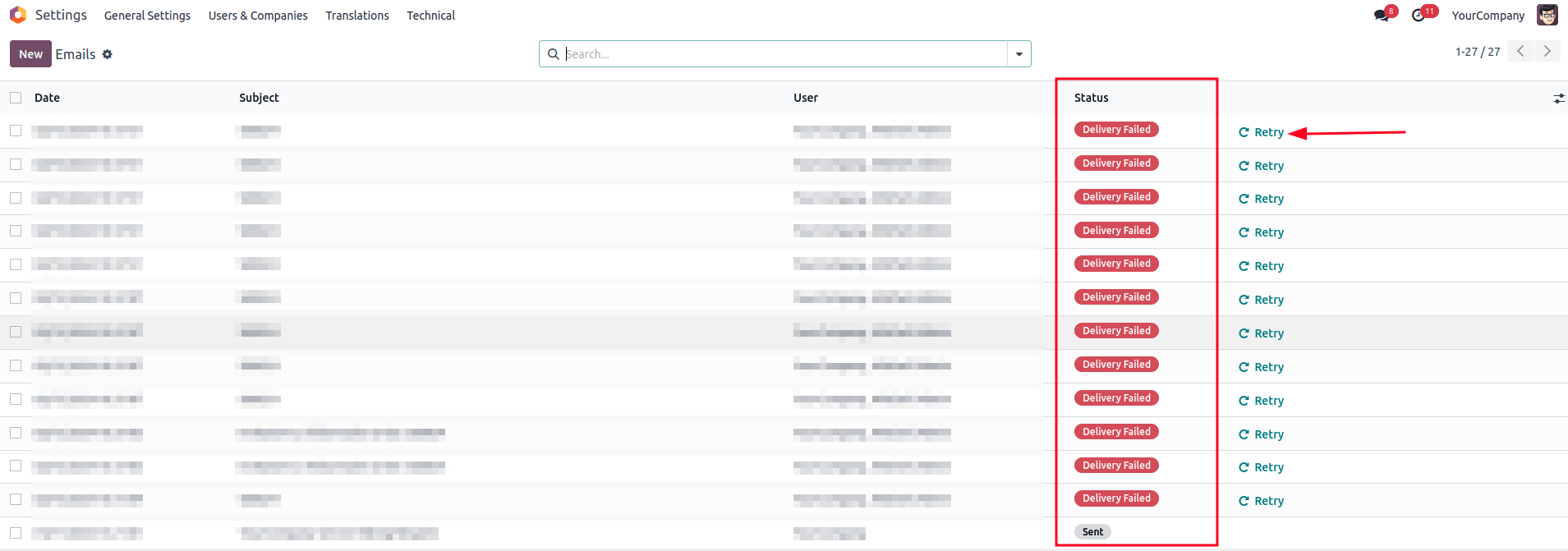
Unsent emails wait in a queue. In developer mode, open Settings › Technical › Email: Emails.
- Failed messages show Delivery Failed. Click Retry to put one back in the queue as Outgoing.
- Send Now pushes a queued message out immediately.
- Cancel Email takes it out of the queue for good.
- Sent messages are cleaned up periodically by the auto-vacuum scheduled action, so an old email missing from this list is normal.
Reading an SMTP error
Errors from your provider follow the standard SMTP codes; the numbers are universal, the wording is theirs. A 550 usually means the provider refused the sender address — for example a sending service replying that "the from address does not match a verified Sender Identity". The fix is on the provider's side: verify the address or the domain, then check the outgoing server's FROM filtering and the default From of the database.
When nothing is sent at the expected time
Not every email leaves at once. Individual messages — quotations, invoices, order confirmations — go immediately and never appear in the queue unless they fail. Bulk mail waits for a scheduled action:
- Mail: Email Queue Manager runs every 60 minutes by default. Fifteen minutes is a sensible floor; below five minutes the job may time out before finishing.
- Mail Marketing: Process queue runs once a day, and is triggered early when a campaign is scheduled sooner.
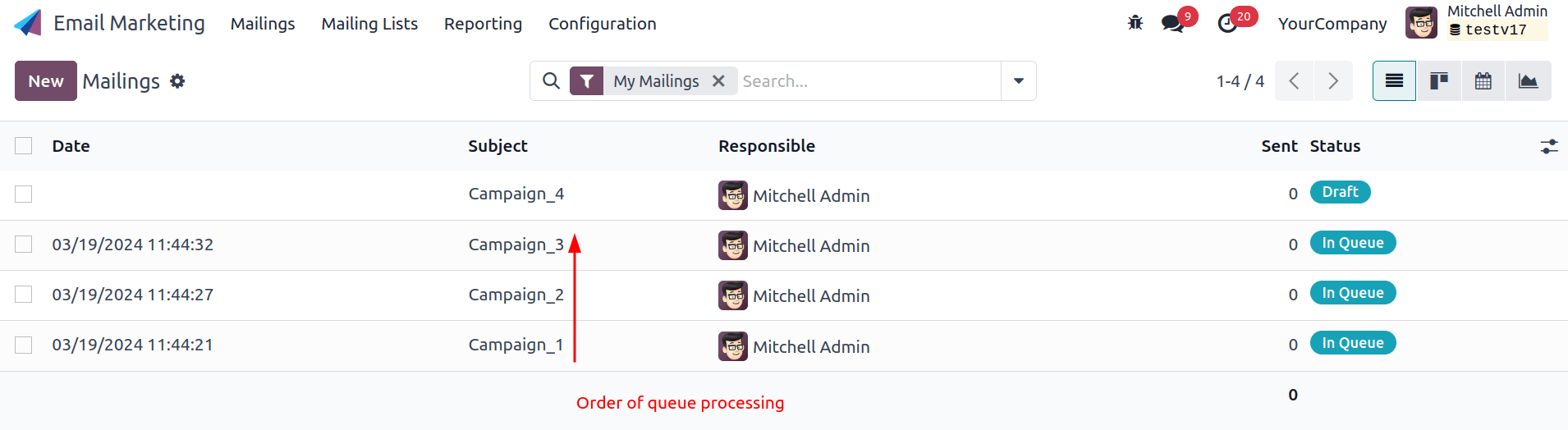
- Campaigns are processed in the order they were created, one at a time. A campaign stuck at the front holds up the ones behind it — cancel it and see whether the others move.

Scheduled actions are edited in developer mode under Settings › Technical › Automation: Scheduled Actions. Running one by hand repeatedly does not speed anything up and can create errors.
Provider limits
Every sending provider caps how much you may send, and blacklists senders whose mail bounces too often. If your mail stops going out in volume, check the provider's dashboard before suspecting the database. Cutting the volume helps too: followers who read their notifications inside WindoorERP instead of by email generate no outgoing mail at all.
Nothing comes in
Inbound problems are invisible from inside the database — it is the
sender who gets the error, usually 550: mailbox unavailable.
Ask them for the exact bounce text, then check the alias, the
redirection or the incoming mail server it should have used.
What to send WindoorERP support
When you contact info@windoorerp.com about email, include:
- The original message exported as
.emlor.msg— a forwarded copy loses the headers that matter. For outgoing mail, name the record and the exact date and time instead. - The flow that should have happened: is it a reply, a message sent by the database, a redirection, an incoming mail server?
- Whether it is a one-off or affects everything, and whether it started after a settings change.
Common mistakes
- Clearing the red envelope with Ignore all before reading the error — the evidence goes with it.
- Re-sending repeatedly to an address that bounces, which damages your sending reputation for everyone else.
- Shortening the queue cron "to make mail faster", and getting timeouts instead of speed.
- Assuming a missing email failed. Check the queue: it may simply not have left yet.
Was this article helpful?
Thanks — your feedback helps.
Running a window or door factory?
Ask for a demo