
كيف يرسل WindoorERP البريد الإلكتروني ويستقبله
استقبال البريد الوارد في قاعدة البيانات
What this does
An inbound message is any email delivered to your database: someone writing to an alias, or a customer replying to something WindoorERP sent. This is how you make both arrive in the right chatter.
Aliases, catchall and bounce
- Model aliases — sales teams, helpdesk teams and projects have their own address. Mail sent there creates a record; replies to mail sent from one of those records come back to the same address.
- Catchall — the fallback used when a model has no alias of its own. Emails from a chatter carry it as their reply-to, and the message-id header is what routes the reply back to the right record. Writing to the catchall directly never creates anything; the sender is bounced with a note telling them which address to use instead.
- Bounce — the return path. Delivery errors are sent here, and turn into the red envelope you see in the chatter.
Both local-parts are configured in developer mode under Settings › Technical › Emails: Alias Domains. Leave them alone unless you have a specific reason: emails already sent still quote the old values, and replies to them stop being routed.
When delivery fails
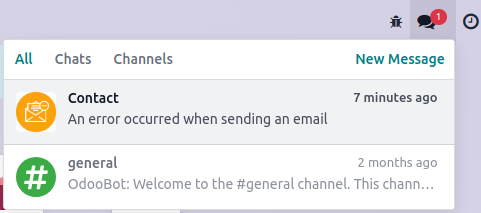
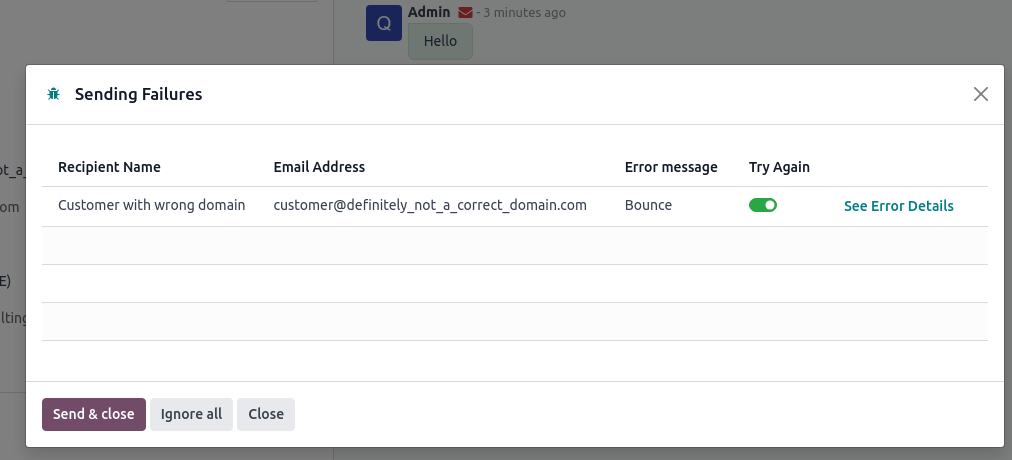
A failure shows up as a red envelope in the chatter and as a notification on the Discuss icon in the top bar. Click the envelope to read why.
Steps
-
01
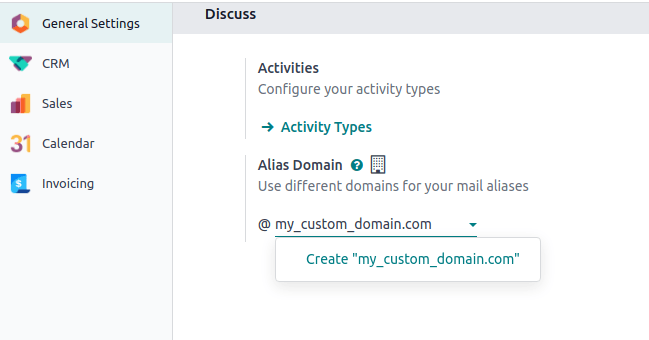
Set the alias domain your database will use: open Settings and fill Alias Domain in the Discuss section. With several companies, do it for each one.
-
02
Decide how mail addressed to that domain reaches the database — redirections, incoming mail servers, or DNS records (below).
-
03
Make sure the catchall and bounce addresses are covered by whichever method you chose, not just the team aliases.
-
04
Send a test email to an alias and confirm the record it should create appears.
The three methods
- Redirections — easy to set up and immediate, but every alias has to be redirected one by one, catchall and bounce included.
- Incoming mail servers — keep a copy of each mail in your mailbox and can create records in a chosen model, but depend on a scheduled action, so mail arrives in batches rather than instantly. One server per mailbox.
- DNS records — one record makes every alias work, but needs a dedicated subdomain and real technical knowledge.
On a self-hosted database, redirections and DNS records also need the mail gateway script configured on the server. That is infrastructure work — ask info@windoorerp.com rather than improvising it.
Redirections
Redirect every address you use to the mailbox the database reads. With a single sales team that is three redirections: the team alias, the catchall and the bounce.
Two things to watch. Some providers validate a redirection by emailing
a confirmation link — impossible for catchall and bounce, which create
nothing. Work around it by temporarily renaming the catchall (to
temp-catchall, say) in the alias domain, giving
catchall to a sales team alias so the validation mail
creates a record you can open, then putting both back. And prefer
redirection to forwarding: forwarding rewrites the sender to
whoever forwarded, redirection keeps the original.
Microsoft 365 does not support true redirection, only forwarding, and Gmail requires the target address to be confirmed first. When you use redirection instead of an incoming mail server, also switch on Local-part based incoming detection on the alias, under Settings › Technical › Aliases.
Incoming mail servers
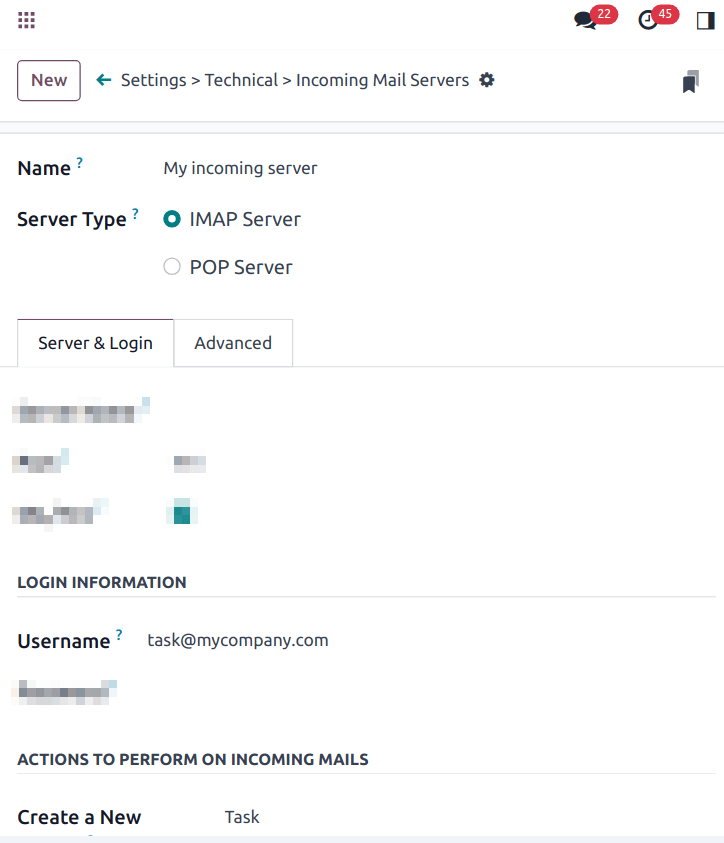
- Go to Settings › Technical › Emails: Incoming Mail Servers and click New.
- Choose IMAP over POP: IMAP fetches unread mail and leaves the mailbox intact, POP drags in the whole history and marks it deleted.
- Enter the server, port and credentials from your provider. Gmail and Outlook mailboxes can be connected with OAuth instead of a password.
- Optionally pick a model under Actions to Perform on Incoming Mails — every mail fetched by this server then creates a record of that type.
- Repeat for each mailbox: catchall, bounce, and every alias.
Whatever the protocol, mail is fetched by the Mail: Fetchmail
Service scheduled action. Use shared mailboxes such as
sales@ or support@ — pointing a personal
mailbox at the database routes private mail into records where the whole
team can read it.
Dedicated subdomain
The third route is a subdomain reserved for mail —
mail.yourdomain.com — whose DNS points at the server that runs your
database. One record then serves every alias. The subdomain becomes mail
traffic only: opening it in a browser just lands on the first website of
the database. Its outbound records (SPF, DKIM) have to be published
too.
Runaway loops
WindoorERP refuses to let one sender create records endlessly: by
default 20 emails in 120 minutes, after which the sender gets a bounce
telling them to try again later. To change the limits, add two system
parameters in developer mode under Settings › Technical
› Parameters: System Parameters:
mail.gateway.loop.minutes and
mail.gateway.loop.threshold.
False matches on aliases
If an unrelated address happens to share an alias's local-part —
commercial@example.com against your
commercial alias — the database can mistake it for the real
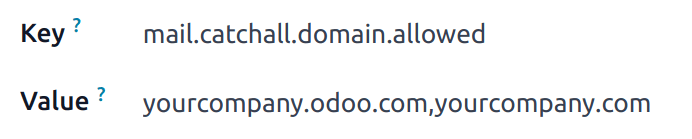
thing and create a lead. Restrict it with the
mail.catchall.domain.allowed system parameter, whose value
is your allowed domains separated by commas.
Common mistakes
- Redirecting the team aliases and forgetting catchall and bounce — every reply to an ordinary email then disappears.
- Renaming the catchall or bounce local-part on a database that has already sent mail.
- Using POP because it was first in the list, then finding the mailbox emptied.
- Blaming the database for silence when the DNS records still point somewhere else.
هل كان هذا المقال مفيداً؟
شكراً — ملاحظتك تساعدنا.
تدير مصنع نوافذ أو أبواب؟
اطلب عرضاً تجريبياً